Logging into your Taskforce Portal
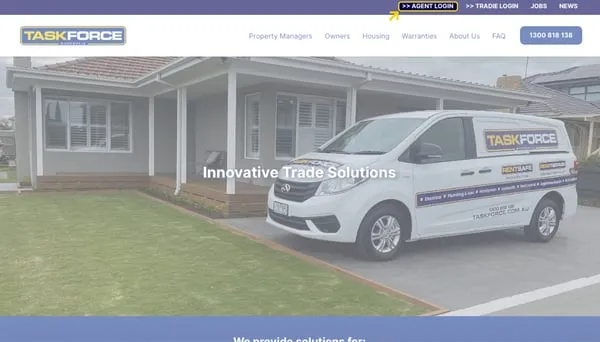
2. Click on >> AGENT LOGIN
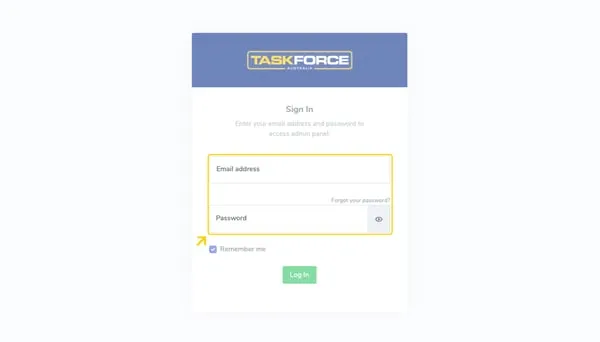
3. Enter your email address and password into the fields provided.
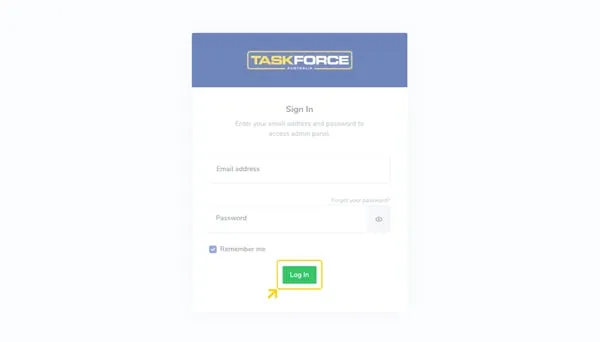
4. Click on Log In
5. You are now logged into your Taskforce Portal!


Jason Bright
Taskforce Australia are offering a free Portfolio Health Check for any Real Estate Agency where we streamline the compliance process by reviewing the service history for each property in your portfoli
Click on the 'Properties' tile on the landing page of your dashboard. Click on the 'Create' button under the address box.
**Please Note, if your CRM is connected and you are unable to find an address, please contact our Customer Success Team for assistance.
Can't find the answer you're looking for? Our support team is here to help.
Jason Bright
Taskforce Australia are offering a free Portfolio Health Check for any Real Estate Agency where we streamline the compliance process by reviewing the service history for each property in your portfoli
Click on the 'Properties' tile on the landing page of your dashboard. Click on the 'Create' button under the address box.
**Please Note, if your CRM is connected and you are unable to find an address, please contact our Customer Success Team for assistance.
Can't find the answer you're looking for? Our support team is here to help.