Taskforce Logo
General10 views0% helpful (0 votes)

Steps to Access Rectification Quotes for Property

You can do this by either scrolling the page or using the address finder.

Jason Bright

Updated 19 February 2026

Steps to Access Rectification Quotes for Property

Steps to Access Rectification Quotes for Property

1. Click on the Rectification tile
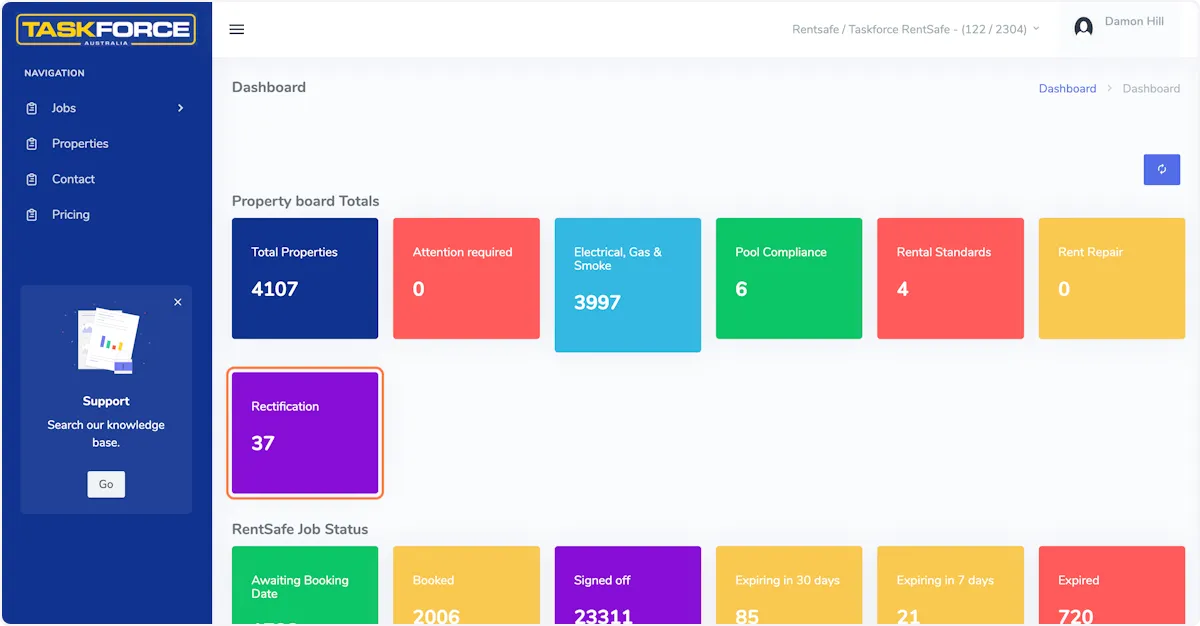
Click on the Rectification tile

2. Select the property

You can do this by either scrolling the page or using the address finder.
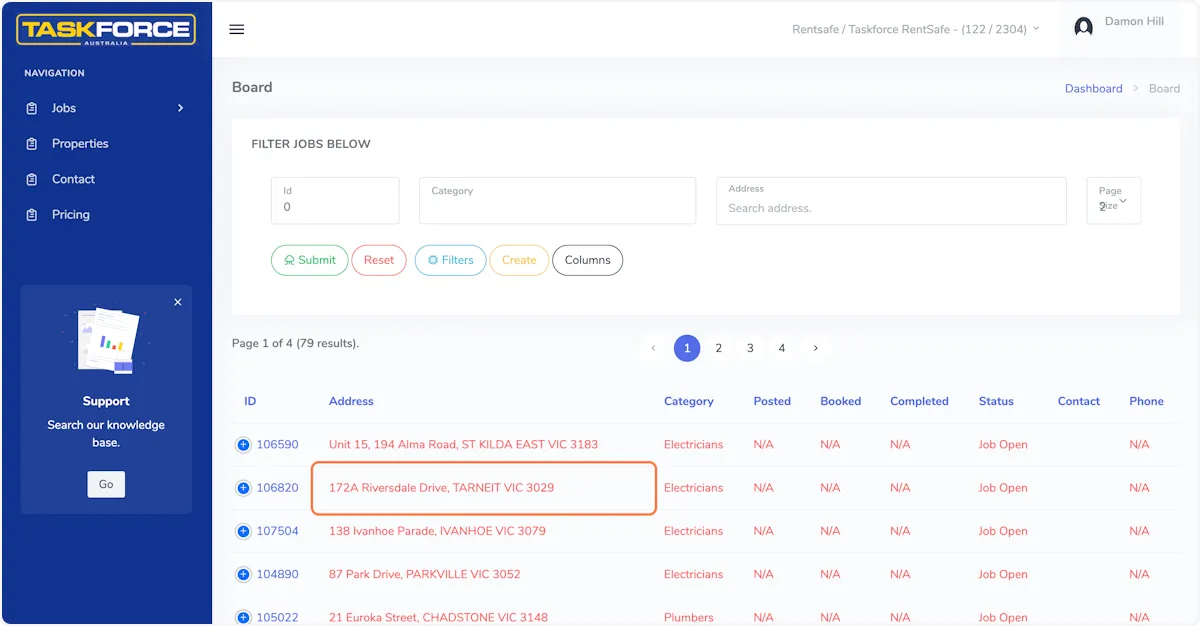
Select the property

3. Click on the property ID

Every property has a unique ID, click on the ID to the left of the property address.
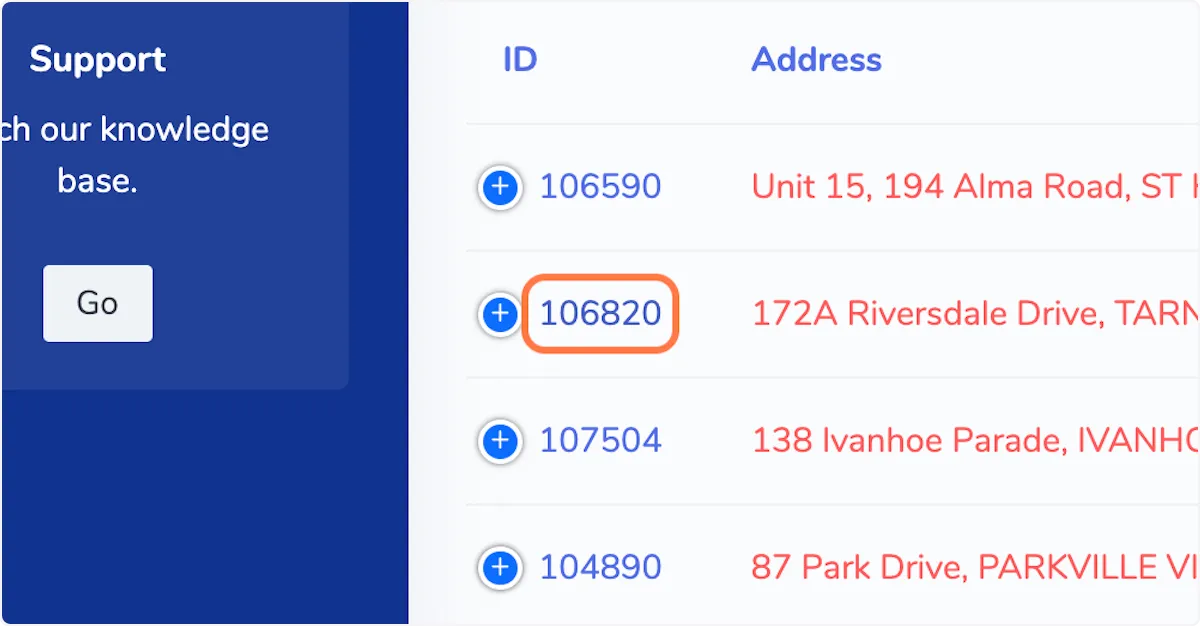
Click on the property ID

4. Click on Quotes

Select the quotes tab from the section that appears on the right side of your screen.
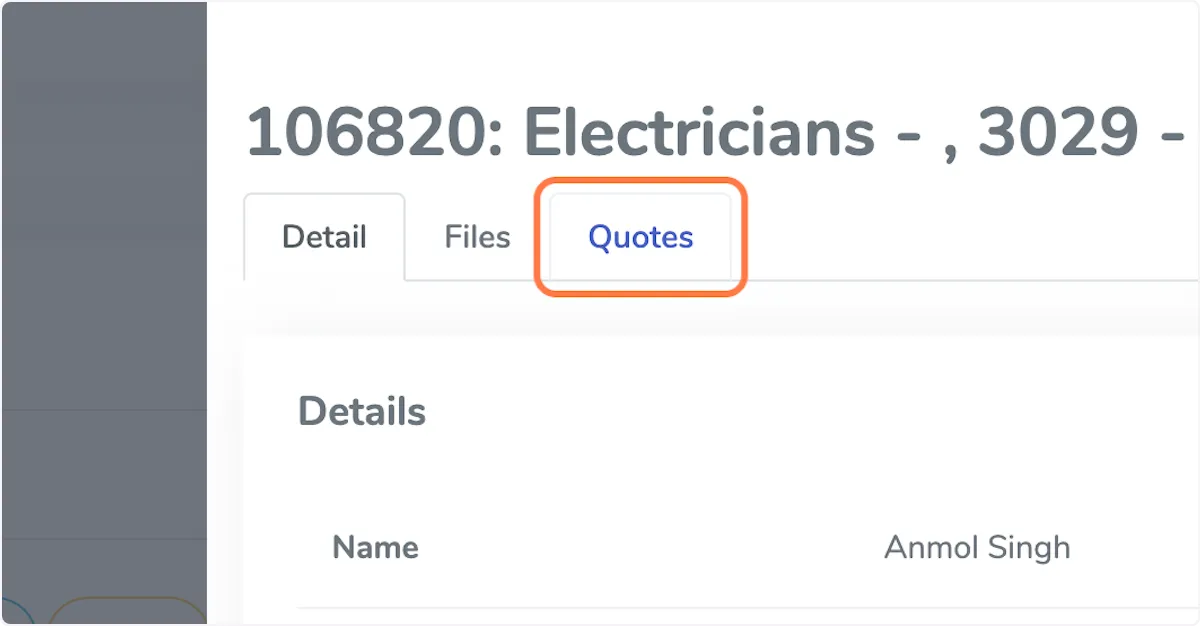
Click on Quotes

5. Click on View to see the quote detail

Initially you will see just see the quote price, if you click on the 'View' button you will see the quote in full.
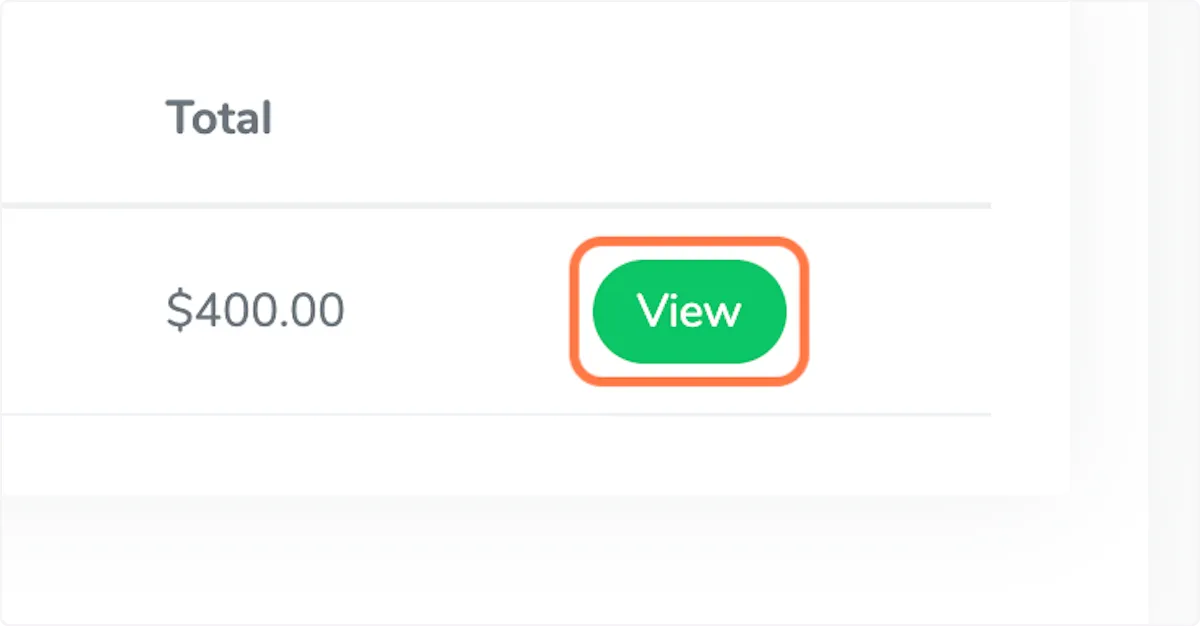
Click on View to see the quote detail

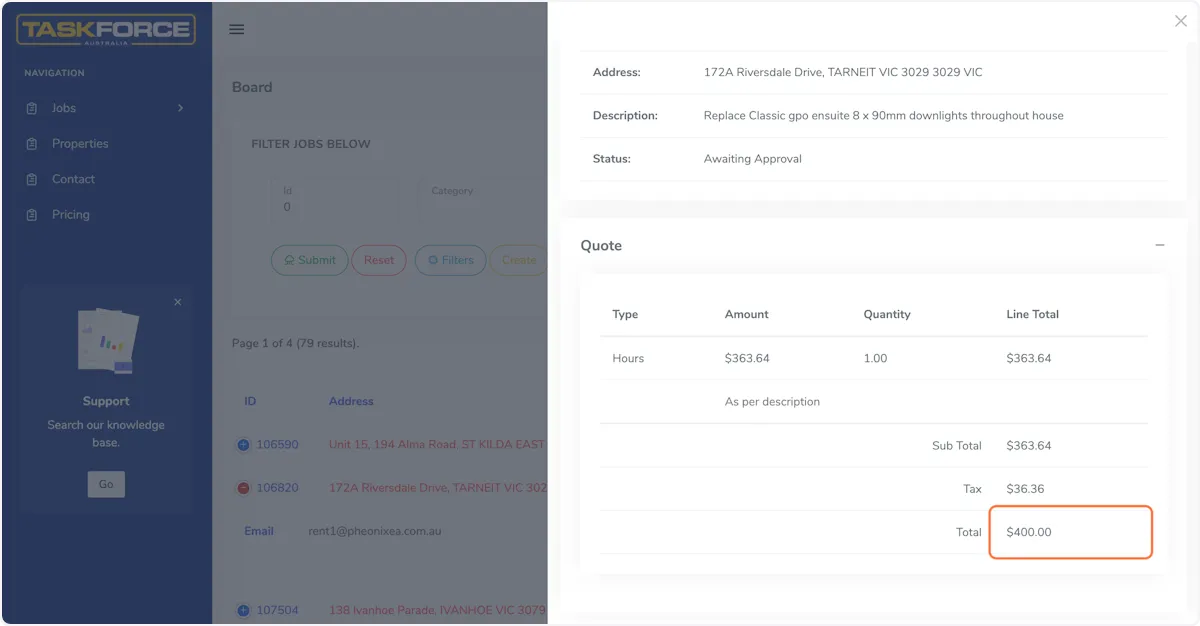
6. Full quote view

Full quote view

Was this article helpful?

Related Articles

General

Dishwasher Problems

A dishwasher that doesn’t clean dishes is hardly a dishwasher at all. Make sure that your dishwasher isn’t dirty, to begin with, checking the strain screen, sprayer arms, and door gasket for food part

630

Still Need Help?

Can't find the answer you're looking for? Our support team is here to help.