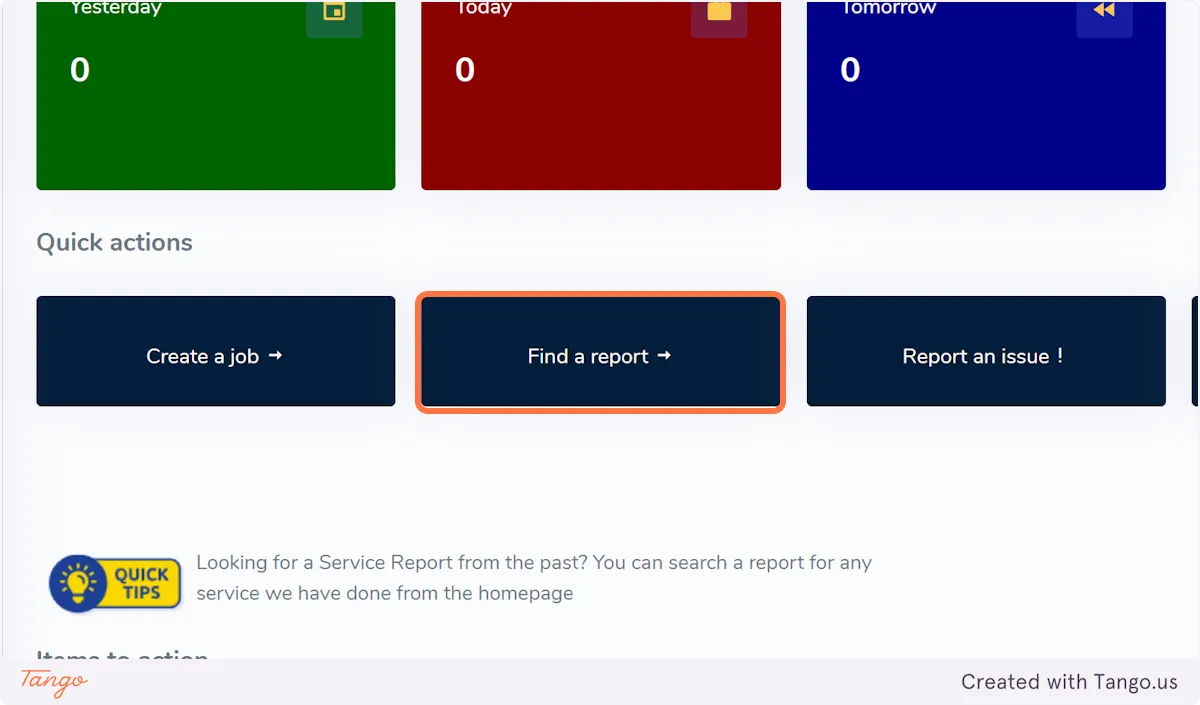
From the Homepage on the Dashboard, click on "Find a report"
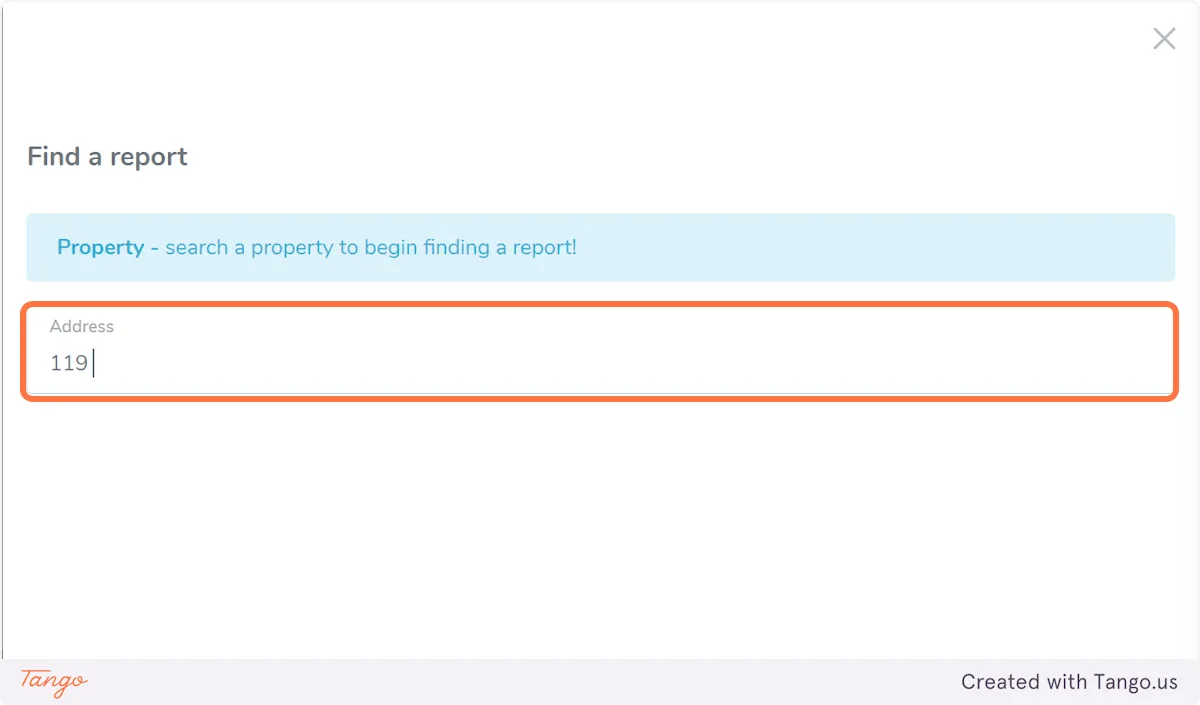
2. Type in the property address
Type in the property address
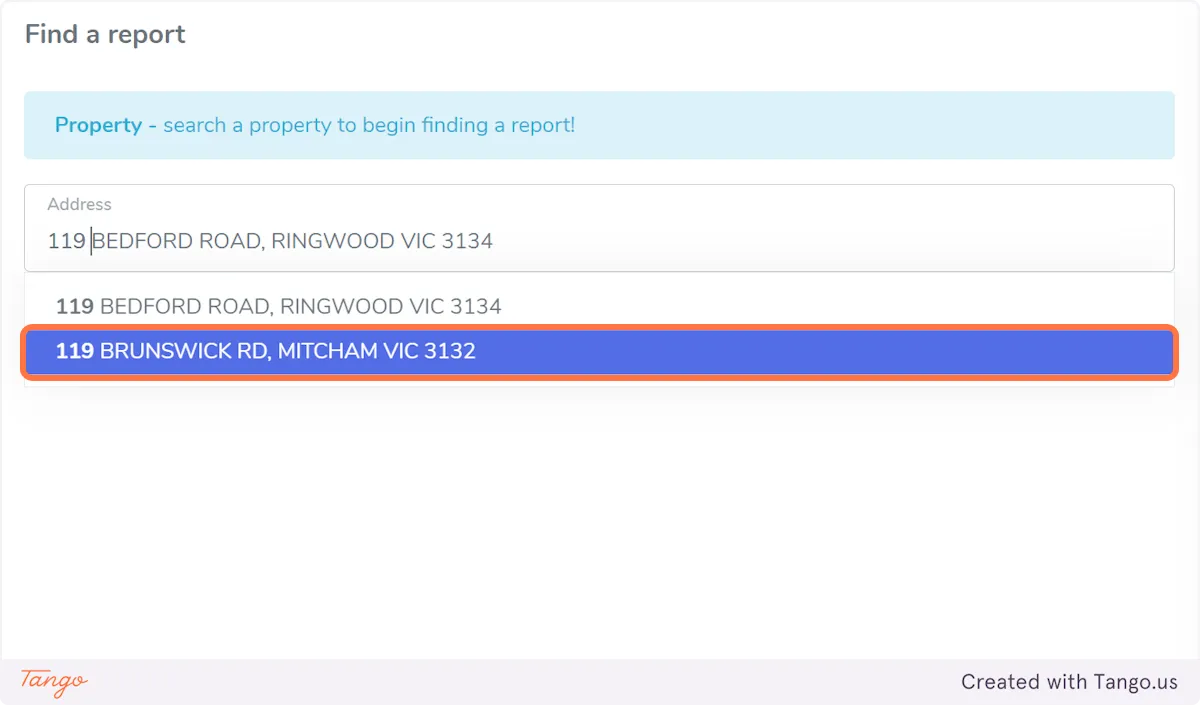
3. Click on the property address
Click on the property address
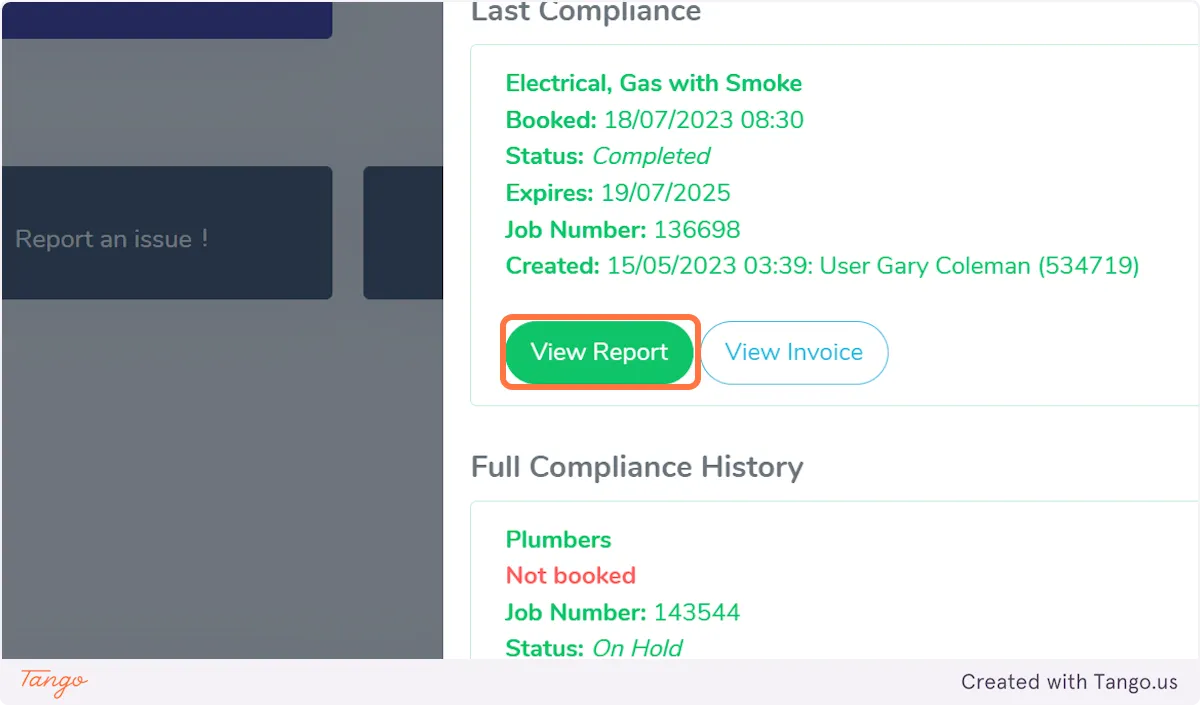
4. You will be taken to the Property history tab where you can view the Taskforce Service history - from the service entry you are looking for, click on "View Report"
You will be taken to the Property history tab where you can view the Taskforce Service history - from the service entry you are looking for, click on "View Report"
5. This will open the Service report in PDF format in a new tab.
The main earthing conductor shall have a permanent label attached at the connection to the earth electrode with a legible warning against disconnection in the following form:
If a fault occurs, the external metal of an appliance will become live and the voltage with respect to earth will be anything up to 240 volts, depending on which part of the internal circuit touches t
From the Homepage on the Dashboard, click on "Find a report"
2. Type in the property address
Type in the property address
3. Click on the property address
Click on the property address
4. You will be taken to the Property history tab where you can view the Taskforce Service history - from the service entry you are looking for, click on "View Report"
You will be taken to the Property history tab where you can view the Taskforce Service history - from the service entry you are looking for, click on "View Report"
5. This will open the Service report in PDF format in a new tab.
The main earthing conductor shall have a permanent label attached at the connection to the earth electrode with a legible warning against disconnection in the following form:
If a fault occurs, the external metal of an appliance will become live and the voltage with respect to earth will be anything up to 240 volts, depending on which part of the internal circuit touches t